The Best Alight Motion Alternative in 2026: AI Motion Graphics Without Keyframing
Alight Motion is mobile-first. 5 alternatives for PC and browser with real 2026 pricing: free tiers (CapCut, Canva), After Effects, MotionVid from $19/mo.

Co-founder, MotionVid ·

You're on an Alight Motion timeline, keyframing the same lower-third for the fourth time tonight, on a phone screen, because that's how motion gets made in this app: by hand, one property at a time. It works. It also eats your evening.
The question isn't whether Alight Motion is good. It is. The question is whether you should be doing the keyframing at all.
This guide compares six tools people switch to when hand-animation stops scaling. One idea runs through the whole thing: for most creators the expensive part of motion graphics isn't the subscription, it's the hours you spend building motion by hand, and that's the cost an AI tool removes. It's also the number nobody prints on a pricing page. So instead of ranking these tools by monthly price alone, we'll weigh each one against the time it hands back, then match each tool to who it actually fits.
Quick answer
The best Alight Motion alternative in 2026 for most creators is MotionVid.ai, an AI motion graphics and video generation tool that turns a text prompt into finished motion in any browser, with no keyframing and no hand animation. The honest trade-off: it's credit-capped and has no free tier, starting at $19/month for 500 credits, per its published pricing. If hand-drawn keyframe control is what you actually want, stay on Alight Motion or move to After Effects. Free editors like CapCut and Canva are their own category for zero-budget cutting and template graphics, but neither generates motion from a prompt.
Full disclosure: MotionVid is our product. We built it, we use it every day, and we have a stake in you trying it, so here's where competitors beat us. If you want a free tier, we don't have one: Alight Motion, CapCut, and Canva all do, and MotionVid starts at $19/month. If you want to hand-keyframe every property for exact frame-by-frame control, Alight Motion on mobile and After Effects on desktop give you that and we deliberately don't. And if your work is precise compositing with third-party plugins, After Effects is the tool, not us. We only win if you'd rather generate motion than build it by hand, so we'll say plainly when you wouldn't.
How we evaluated these Alight Motion alternatives
In one line: we scored on speed-to-output, motion quality, price transparency, device access, and learning curve, and we keep hands-on facts, published specs, and community sentiment in separate columns.
| Criterion | Weight | What it measures |
|---|---|---|
| Speed to output (no manual work) | 30% | Can you get finished motion without keyframing? |
| Motion quality | 25% | Does the result look intentional, not stock? |
| Price transparency & value | 20% | Are limits and real costs published up front? |
| Device access | 15% | Browser, mobile app, or desktop-only? |
| Learning curve | 10% | Time from open to first usable clip |
Three kinds of finding, never blended:
- Hands-on, MotionVid only: we generate on MotionVid every day, so its score is a real usage score and we say so.
- Verified from primary sources: competitor pricing and limits come from each tool's own pricing page, checked as of July 2026. Rates move, so confirm live before you buy.
- Community sentiment: where we describe how a competitor feels to use, that's reviewer coverage and forum threads, flagged as sentiment, not our measurement.
Because of that split, only MotionVid carries a numeric score, and competitors get a qualitative rating tied to their published specs. Scoring a tool we never tested ourselves would be dishonest.
By the numbers
- 1 of the 6 tools here generates motion graphics from a text prompt with no manual keyframing: MotionVid.
- 4 of 6 tools center on a manual timeline or keyframe workflow: Alight Motion, CapCut, After Effects, and Canva.
- 4 of 6 tools offer a free tier; MotionVid and After Effects are the two that don't.
- MotionVid publishes a per-plan credit cap and sizes Starter's 500 credits at roughly 15 to 30 videos a month; the other 5 sell flat or credit-based access.
- 2 of 6 run fully in a browser with no keyframing (MotionVid and Runway), but only 1 of those makes vector-style titles and lower-thirds: MotionVid.
- At MotionVid's published sizing, the example creator's 60 clips a month run past the $19 Starter plan and fit Ultimate ($49, roughly 45 to 90 videos at the same rate).
The six tools at a glance
In one line: MotionVid is the only one on this list that generates the motion for you in a browser; the other five are strong at hand-editing, template design, or AI video, but the keyframing stays on you.
| Tool | Where it fits | Free plan | Typical cost | Rating |
|---|---|---|---|---|
| MotionVid.ai | AI motion graphics with no keyframing | No | $19/mo Starter (500 credits) | 8.4/10 (hands-on) |
| Alight Motion | Free hand-keyframed mobile animation | Yes (watermark) | ~$5/mo Pro | Strong on manual control; no AI generation |
| CapCut | Fully free social edits | Yes | ~$10/mo Pro | Strong on free editing; template-led motion |
| After Effects | Frame-by-frame motion design in a desktop compositor | No (trial) | ~$23/mo single-app annual, per Adobe pricing | Strong on control; steep, desktop-only |
| Canva | Swapping in animated templates for social graphics | Yes | ~$13/mo Pro | Strong on templates; limited custom motion |
| Runway | Photoreal, live-action-style clips (not designed motion graphics) | Yes (limited) | ~$12-15/mo Standard tier, credit-based | Strong on AI video; not vector motion graphics |
All competitor prices come from each tool's own pricing page, current as of July 2026; confirm the live rate before buying. MotionVid pricing is from motionvid.ai/pricing.
There's a second comparison worth running, one that covers what pricing tables tend to hide:
| Tool | Free-tier watermark | Runs in browser | Manual keyframing required | Text-to-motion (AI) |
|---|---|---|---|---|
| MotionVid.ai | No free tier | Yes | No | Yes |
| Alight Motion | Yes | No (mobile app) | Yes | No |
| CapCut | Mostly no | Partial (web + app) | Yes | Partial |
| After Effects | No free tier | No (desktop) | Yes | No |
| Canva | On premium assets | Yes | Partial | Partial |
| Runway | Paid tiers remove it | Yes | No | Yes (video, not vector) |
No tool scores 10 everywhere. MotionVid loses points for having no free tier and for hard credit caps. Alight Motion and After Effects lose on speed-to-output because you build every motion by hand. Canva and CapCut lose on custom motion depth. Runway is AI-native, but it aims at generated video clips rather than the titles, lower-thirds, and kinetic type Alight Motion users actually make.
MotionVid.ai
Type a prompt, get finished motion in a browser. That's MotionVid.ai: an AI motion graphics and video generation tool with nothing to keyframe. Its timeline trims, splits and reorders the scenes it generates and holds your audio and captions, but the motion itself comes from your prompt.
What it is, plainly: you type what you want and MotionVid generates the motion. Take our recurring example, Maya, a solo creator shipping product-launch and explainer clips. A launch usually needs a handful of shot types: the hero reveal, the feature explainer, the teaser or countdown, the founder cutaway, and the social loop. MotionVid generates the hero reveal, feature explainer, and teaser end to end from a prompt; that's the title and motion-graphics work the model is built for. The founder cutaway still needs your own filmed footage, and social loops usually need a manual trim afterward to land the loop point. Beyond that core, it covers image-to-video, drawing-to-video, before/after and start/end animation, a cinema mode, templates, and an 8-angle image tool. The generation runs on Animora, backed by Miltos, so you get consistent output whether you're making a live-action-style clip or an animated title, without switching apps.
Best for: solo creators, marketers, and YouTubers who want motion graphics without learning a keyframe workflow, on any device with a browser.
Pricing, the real number: for Maya at ~60 clips a month, Starter isn't enough. MotionVid's pricing page sizes Starter's 500 credits at roughly 15 to 30 videos, so a 60-clip month runs past it; at that same rate Pro's 800 credits cover roughly 24 to 48 and Ultimate's 1,500 roughly 45 to 90. Budget for Ultimate unless her clips are short and simple, and check the credit counter on the first few generations. Starter is $19/month, or $179.88/year, per motionvid.ai/pricing. Pro is $29/month for 800 credits, Ultimate $49 for 1,500, Creator $249 for 8,000.
The gotcha: there's no free tier, and plans are credit-capped, not unlimited. Use up Starter's 500 credits (roughly 15 to 30 videos by MotionVid's own sizing) and you upgrade to Pro. Nobody hides that, but it's the limit to plan around.
What reviewers say elsewhere: coverage of AI motion-graphics tools generally frames text-to-motion as the shortcut for creators who don't want to learn After Effects, reported as community sentiment, not our test.
Where we lose: no free tool to test-drive, and no hand-keyframing if that's the control you want. See the pricing and motion graphics pages for exact current limits.
Verdict: this is our tool and we build with it daily, so treat this as a builder's honest read, not a neutral score. On the thing it's designed for, going from an idea to finished motion without setting a single keyframe, it's the fastest option here for people who don't want After Effects. Where it falls short is just as plain: no free tier, a hard credit cap on every plan, and no manual keyframing. Strong fit for high-volume browser-based motion work, wrong fit if free or manual control is your requirement.
Alight Motion
The subscription is almost free; the labor is the whole bill. That's Alight Motion in one sentence, and it's why it sits second on this list instead of first.
What it is, plainly: a phone-first animation and motion-design app with layers, keyframes, effects, and vector support. Everything moves because you set the keyframes for it.
Consider for: creators who enjoy manual control and want to animate on a phone or tablet.
Pricing, the real number: the free tier adds a watermark, and Pro runs around $5/month with annual billing cheaper, per Alight Motion's subscription page, as of July 2026. For Maya at 60 clips a month the sticker cost looks tiny, but every one of those 60 clips is hand-keyframed on a small screen, and that time is the real bill.
The gotcha: the free-tier watermark, and the labor. The subscription is cheap precisely because the tool does none of the animating for you.
What reviewers say elsewhere: forum threads and reviewers commonly call Alight Motion's keyframe system capable but time-consuming, especially at volume, reported as community sentiment.
Verdict: consider it only if you actively want to keyframe by hand and stay mobile. If you'd rather the motion be generated for you, that manual control is exactly what you're trying to escape.
CapCut
CapCut is a free-first editor built for quick social cuts. Motion comes from templates and presets, not custom motion graphics.
What it is, plainly: a video editor on web and app built for fast social clips, with trims, captions, transitions, and template effects. Motion mostly comes from applying templates and presets.
Consider for: creators who want to edit and caption social video for free, fast.
Pricing, the real number: the core editor is free, and CapCut Pro is around $10/month, per CapCut's pricing page, as of July 2026. For Maya's 60 clips the free tier may cover basic edits, but bespoke motion graphics aren't really its job.
The gotcha: specific effects, higher-end exports, and some assets sit behind Pro, and the terms around commercial use and ownership are worth reading before you build a brand on it.
What reviewers say elsewhere: widely praised as the default free social editor, less associated with custom motion design, reported as community sentiment.
Verdict: consider it only when your budget is zero and the job is straightforward video editing; anything close to generated motion graphics is a different tool.
Adobe After Effects
After Effects is the professional standard for custom motion design. Maximum control, the steepest learning curve, desktop only.
What it is, plainly: the industry compositing and motion-graphics application, with deep keyframing, expressions, and a plugin ecosystem. If you can imagine a motion you can build it here, by hand.
Consider for: professionals doing frame-precise, plugin-driven motion design.
Pricing, the real number: around $23/month for the single-app annual plan, per Adobe's pricing page, as of July 2026, roughly $276/year before any plugins. For Maya that's the most expensive subscription here and the steepest ramp.
The gotcha: the annual commitment carries an early-cancellation fee, and real work needs a capable computer plus, often, paid plugins. There's no native text-to-motion generation.
What reviewers say elsewhere: universally regarded as the most powerful and the hardest to learn, reported as community sentiment.
Verdict: the right tool if you need total manual control and precision. Overkill, and overpriced, if you just want a clean animated title without becoming a motion designer. See our full comparison in MotionVid vs After Effects.
Canva
Canva is a template design tool with light animation. Great for quick branded graphics, thin for custom motion.
What it is, plainly: a browser design app with animated templates, presets, and simple element animations, built for customizing existing motion rather than generating new motion from scratch. Picture Maya needing an animated Instagram post before her coffee gets cold: she opens Canva, picks a template, swaps the colors and text, exports, done.
Consider for: non-designers who need on-brand animated social graphics fast.
Pricing, the real number: there's a free tier, and Canva Pro runs around $13/month, per Canva's pricing page, as of July 2026. Free covers a basic animated post here and there, but most of the good animations, elements, and export formats sit behind Pro, and free-tier premium assets can carry a watermark until you upgrade, so repeatable custom motion for a brand ends up being a paid habit.
The gotcha: the depth ceiling. Once you want real motion design rather than a preset swap, Canva runs out of room fast.
What reviewers say elsewhere: reviewers generally agree it's fast and easy but shallow once you want genuine motion design, reported as community sentiment.
Verdict: fine for template-based animated graphics, not where you go for custom generated motion. When you need motion built from a prompt rather than a preset, MotionVid's motion graphics tools are the better fit.
Runway
Runway makes AI-generated video from text and images. It's not the vector motion graphics or titles you build in Alight Motion.
What it is, plainly: a generative video tool where you describe or upload something and the model produces new footage, rather than a timeline where you animate shapes, text, and lower-thirds.
Consider for: live-action-style footage where the goal is photoreal camera movement. For designed motion graphics, titles, and brand animation from a prompt, that job stays with MotionVid.
Pricing, the real number: there's a limited free tier, Standard lands in the $12-15/month range for a monthly credit allotment, and Pro costs roughly double that for a bigger pool, per Runway's pricing page as of July 2026; confirm the live allotment before buying. Credits deplete as you generate, so the real cost scales with how much you make, a very different model from a flat subscription. For Maya's 60 clips a month, the credit meter, not the sticker price, is the number to watch.
The gotcha: credits run out and further generations cost more, so the advertised monthly price is a floor, not a ceiling.
What reviewers say elsewhere: strong reputation for generative video quality, not the tool people reach for to make animated titles or lower-thirds, reported as community sentiment.
Verdict: a great AI-video tool but a sideways move from Alight Motion, which is about designed motion graphics. Compare in MotionVid vs Runway.
What an Alight Motion alternative actually costs
Hand-animation tools keep the sticker price low but the labor scales with every clip. MotionVid inverts that: the price steps up at published caps and the labor stays near zero.
Projection for Maya, our solo creator making product-launch and explainer clips, at three volumes:
| Monthly volume | MotionVid plan & cost | Alight Motion cost | The hidden cost |
|---|---|---|---|
| 20 clips (light) | Starter, $19/mo (500 credits, ~15 to 30 videos) | ~$5/mo Pro | 20 clips keyframed by hand |
| 60 clips (Maya) | Ultimate, $49/mo (1,500 credits, ~45 to 90 videos) | ~$5/mo Pro | 60 clips keyframed by hand |
| 300 clips (heavy) | Creator, $249/mo (8,000 credits, ~240 to 480 videos) | ~$5/mo Pro | 300 clips keyframed by hand |
Competitor rates per each tool's pricing page, July 2026; MotionVid per motionvid.ai/pricing, with video counts above Starter derived at the same rate as Starter's published sizing (roughly 15 to 30 videos per 500 credits). Short, simple clips may use fewer credits.
The crossover math: on MotionVid the price steps up only when you cross a cap. Once you use up Starter's 500 credits (roughly 15 to 30 videos, per MotionVid's pricing page), you move to Pro ($29 for 800 credits), then Ultimate ($49 for 1,500), then Creator ($249 for 8,000). At the same rate as Starter's sizing, that's roughly 24 to 48, 45 to 90, and 240 to 480 videos a month. On a flat tool like Alight Motion the subscription line stays put at about $5, but the labor line climbs with every clip.
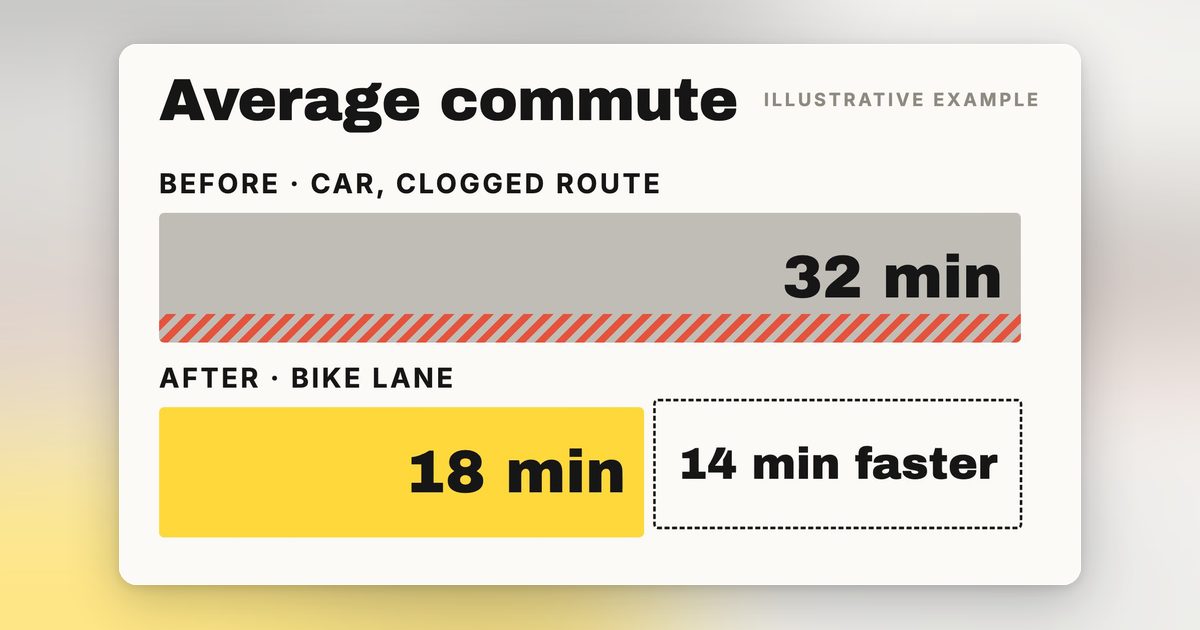
To find your real number, multiply your monthly clip count by your keyframing minutes per clip, then price that time at your hourly rate. Run it for Maya. She ships 60 clips a month, and a clean keyframed motion clip takes her roughly 15 minutes once she's warmed up and not fighting a render. That's 60 × 15 = 900 minutes, or 15 hours a month spent moving keyframes by hand. Put a modest freelance rate of $30 an hour on those hours and the labor line alone is $450 a month. Add the ~$5 subscription and Alight Motion's true cost to Maya lands closer to $455 a month, not five dollars. This is a model, not a measurement: swap in your own per-clip time and hourly rate, the framework holds even if your numbers differ, and Maya herself is a hypothetical persona, not a tracked user.
Her comparable MotionVid plan is Ultimate at $49, since by MotionVid's own sizing (roughly 15 to 30 videos per 500 credits) a 60-clip month runs past Starter's credits unless her clips are short and simple, and the keyframing hours drop to near zero because she's describing motion and generating it instead of animating it frame by frame. Even if generation costs a few minutes of prompting and picking the best take per clip, call it 3 minutes each, that's 3 hours a month against 15. The gap isn't the forty-nine dollars versus five on the invoice, it's the roughly 12 hours a month she gets back, every month.
That's the honest version of the comparison. A hand-animation app can win on sticker price and still lose badly once your own time is on the ledger, and the more you ship, the wider the gap gets. If you're shipping product clips, explainers, or social cuts on a schedule, run a week of your own clips through both workflows and time yourself, then start on MotionVid's Starter plan at $19 for 500 credits and scale up only when you actually cross a cap. Every tier and cap is listed at motionvid.ai/pricing.
How to choose your Alight Motion alternative
Pick by what you actually need, not by the longest feature list. If you want to describe motion and get a finished clip back without touching a keyframe, that's MotionVid, and Starter at $19 for 500 credits is enough to test whether the prompt-to-motion workflow fits how you ship. If hand control is the whole point, if you want to place every keyframe and own every easing curve yourself, stay on Alight Motion or step up to After Effects. Those tools exist because some work genuinely needs a human on the timeline, and we go deeper on that trade-off here.
If free is the hard requirement and you're happy editing rather than generating, CapCut or Canva will cover you, both with usable free tiers and almost no bar to start. MotionVid also covers text-to-video, image-to-video, and drawing-to-video in the same $19 plan; if you specifically want the photoreal, live-action look Runway is known for on a one-off shot, our MotionVid vs Runway breakdown lays out the trade.
So the invoice difference between MotionVid and Alight Motion's $5, fourteen dollars on Starter or forty-four on Ultimate at Maya's volume, hides a 15-hour gap in your calendar. Start on MotionVid's Starter plan, run a week of your own clips through it, and let your own hours settle the argument.
Final verdict
In one line: MotionVid.ai is the best Alight Motion alternative for creators who'd rather generate motion than keyframe it, and the wrong pick if you need free or want full manual control.
Bottom line: Alight Motion's $5/mo is cheap because the labor is yours; MotionVid's $19/mo is priced against the labor it deletes. Describe the motion in any browser and Animora, backed by Miltos, generates it.
The winner: MotionVid, for the creator shipping product-launch and explainer clips who wants motion without keyframing it by hand.
Who should not use it: if you need a free tool, use CapCut or Canva; if you need frame-precise manual control and plugins, use After Effects. Both are honest, better fits for those needs than we are.
Dig deeper: web-based motion graphics editors, kinetic typography with AI, and the After Effects AI alternative.
Frequently asked questions
What is the best free Alight Motion alternative?
For free editing, CapCut is the strongest alternative; its core editor is free and handles social clips well, per CapCut's pricing page, July 2026. For free template-based animated graphics, Canva's free tier works. MotionVid has no free tier and starts at $19/month for 500 credits. If your priority is zero cost over generated motion, CapCut or Canva are the honest picks.
What does MotionVid cost?
MotionVid starts at $19/month for the Starter plan with 500 credits, per motionvid.ai/pricing. Pro is $29/month for 800 credits, Ultimate is $49 for 1,500, and Creator is $249 for 8,000. Plans are credit-capped, not unlimited.
What does Alight Motion cost?
Alight Motion offers a free tier with a watermark, and Alight Motion Pro at roughly $5/month, per Alight Motion's subscription page, July 2026, with annual billing cheaper. The low price reflects that you do all the animating yourself by hand; the subscription buys the tool, not the labor. Confirm the live rate before subscribing.
Is MotionVid or Alight Motion better for motion graphics?
It depends on whether you want to build motion or generate it. Alight Motion is better if you want hand-keyframed control on a phone. MotionVid is better if you want motion graphics generated from a text prompt in any browser, with no keyframing. Its timeline is for trimming and arranging the scenes it generates, not for animating by hand. If hand-keyframing is why you're switching, MotionVid fits; if you enjoy the keyframing, stay put.
What is the cheapest way to make motion graphics without keyframing?
MotionVid's Starter plan at $19/month for 500 credits is the option here that generates custom motion graphics from a prompt, per motionvid.ai/pricing. Free editors like CapCut and Canva are cheaper but rely on templates and manual edits, and Runway's cheaper tier generates video footage rather than titles and lower-thirds. If avoiding keyframing is the goal, price it per video: MotionVid's pricing page sizes Starter's 500 credits at roughly 15 to 30 videos, about $0.63 to $1.27 each.
Does Alight Motion put a watermark on exports?
Yes, Alight Motion's free tier adds a watermark, removed by subscribing to Pro at roughly $5/month, per Alight Motion's pricing page, July 2026. If a watermark-free export matters and you don't want to keyframe, MotionVid generates clips without that free-tier watermark, though it has no free tier and starts at $19/month for 500 credits.
Can I make motion graphics in a browser instead of an app?
Yes. MotionVid runs fully in any browser on any device with no install, so you can generate motion graphics on a laptop, desktop, or tablet. Alight Motion is a mobile app first. Canva and Runway are also browser-based, but Canva leans on templates and Runway focuses on AI video clips rather than designed motion graphics like titles and lower-thirds.
Is After Effects worth it over Alight Motion?
After Effects is worth it only if you need professional, frame-precise motion design with plugins and don't mind a steep learning curve; it's about $23/month for the single-app annual plan, per Adobe's pricing page, July 2026. For most creators leaving Alight Motion because keyframing is slow, After Effects is more keyframing, not less. An AI tool like MotionVid removes the manual work instead of deepening it.
How many videos can I make on MotionVid's plans?
MotionVid plans are credit-capped: Starter includes 500 credits a month, Pro 800, Ultimate 1,500, and Creator 8,000, per motionvid.ai/pricing. They are not unlimited. The pricing page sizes Starter's 500 credits at roughly 15 to 30 videos a month; at that same rate, Pro covers roughly 24 to 48, Ultimate 45 to 90, and Creator 240 to 480. Credits per video vary with mode, model and length, so a solo creator making around 60 clips a month should budget for Ultimate unless the clips are short and simple.
Is MotionVid good for product-launch and explainer clips?
Yes, those are core use cases. MotionVid generates motion graphics, animated titles, and short clips from a text prompt, and also does image-to-video and start/end animation, which suit product reveals and explainers. For a creator shipping ~60 such clips a month, budget for Ultimate at $49/month (roughly 45 to 90 videos at the same rate as Starter's published sizing of 15 to 30), and you skip the manual keyframing Alight Motion requires.
Which tool is best if I only need free social video edits?
CapCut. Its core editor is free and built for fast social cuts, captions, and transitions, per CapCut's pricing page, July 2026. It's an editor rather than a motion-graphics generator, so consider it only if your budget is genuinely zero and the job is trimming and captioning existing video. The moment you need custom animated titles or motion built from a prompt rather than a template, that's a different job, and MotionVid handles it from $19/month.
How do I switch from Alight Motion to MotionVid?
Switching is mostly a mindset change: instead of keyframing each animation by hand, you describe the motion you want and MotionVid generates it in your browser. Start on the $19/month Starter plan for 500 credits, per motionvid.ai/pricing, run a week of your usual clips through it, and scale to Pro only if you cross the cap. No install, no keyframing, works on any device.
Is Runway a good Alight Motion alternative?
Only if you want generated video footage, not designed motion graphics. Runway generates AI video clips from text or images and runs in the $12-15/month range on its Standard tier, per Runway's pricing page, July 2026; confirm the live allotment before buying. It's credit-based, so cost scales with output. For the titles, lower-thirds, and kinetic type Alight Motion users make, MotionVid's text-driven motion graphics are the closer fit.
Does MotionVid have a free trial or free tier?
No, MotionVid has no free tier. Paid access starts at Starter, $19/month for 500 credits, per motionvid.ai/pricing, with Pro at $29 for 800, Ultimate at $49 for 1,500, and Creator at $249 for 8,000. If free forever is a hard requirement, CapCut or Canva fit better.