MotionVid.ai vs After Effects: The Honest 2026 Comparison
Need motion graphics without learning After Effects? MotionVid.ai is the pick for product ads and explainer scenes; After Effects still wins frame-level comps.

Co-founder, MotionVid ·
MotionVid.ai vs After Effects is the wrong fight for most of the people searching it. If the job is animating a logo into a 15-second ad, or turning a script into explainer scenes by Thursday, the answer is MotionVid.ai, an AI motion graphics and video generation tool. After Effects is the right call when you need frame-level control over footage you shot yourself.
Adobe lists All Apps at $54.99 a month, or $659.88 a year on their published plans page, and that bill starts months before you find out where keyframe interpolation hides. The learning curve is measured in months, not weekends, which is fine if motion design is your job and absurd if you just need six product clips this quarter.
Quick answer
Quick Answer: Pick MotionVid.ai, an AI motion graphics and video generation tool from $19/month on Starter (500 credits, 60 export minutes, per its published pricing), for graphics you're making from scratch: product and logo ads, explainer B-roll, infographic and map scenes from a script. The trade-off is real: plans are credit-capped, and you don't get frame-level control. Pick After Effects for footage you shot, real 3D, or an exact client motion spec. On a true $0 budget, DaVinci Resolve's free version includes Fusion.
Full disclosure: MotionVid is our product. We built it, we use it every day, and we make money if you subscribe. So here is where After Effects beats us outright. First, anything involving footage you already shot. Rotoscoping a subject out of a plate, stabilising a handheld shot, tracking a graphic onto a moving car: we don't do that, After Effects does, and no prompt closes that gap. Second, exact specs. If a client's brand guide says the logo lockup resolves at 1.4 seconds with a custom easing curve, you need keyframes and expressions, not a generator. Third, real 3D and app-ready vector export (Lottie for a product UI) are outside what we do at all. Everything below is written with that stake on the table.
What an AI motion graphics generator actually is
In one line: an AI motion graphics generator turns a text prompt, a script or a still image into an animated clip, with timing, camera moves and transitions produced by a model instead of set by hand with keyframes. After Effects sits on the other side of that line as a compositor, executing exactly what you specify, frame by frame, on media you supply.
Run your launch through this list.
- Hero reveal, the bottle resolving into frame: generator side.
- Feature explainer, the founder's ingredients script turned into infographic scenes: generator side.
- Teaser or countdown loop for the week before a launch: generator side.
- Founder cutaway, footage shot on a real camera: compositor side.
- A tracked graphic locked to filmed product footage, a price badge that stays stuck to a moving box: compositor side.
Three of those five are generation problems, and two are compositing problems.
How we evaluated, and what we did not test
MotionVid plan prices, credit allowances and export caps come from our own published pricing page, verified 20 September 2026, and our notes on using MotionVid are first-hand because it's our product.
The Adobe All Apps figure used throughout, $54.99 a month or $659.88 a year, is the list price from Adobe's plans page and moves with region, commitment term and single-app choice, so check it for yourself before budgeting; see also the After Effects product page and the DaVinci Resolve product page.
Learning-curve claims are community sentiment, how reviewers and forum threads talk about these tools, not something we measured.
We did not buy a Creative Cloud licence and time renders against ours.
By the numbers
- 4 of 4 MotionVid plans are credit-capped. Zero offer unlimited generations, per its published pricing.
- 1 of 4 plans (Creator, $249/mo) carries unlimited monthly video exports on monthly billing; 2 more (Pro and Ultimate) get unlimited exports when billed yearly.
- 2 of 4 plans (Ultimate and Creator) include the developer API and bring-your-own-keys, while 4 of 4 paid plans can generate through the MCP connector from Claude and other AI apps.
- Cost per export minute at each plan's published cap, which is the cost per clip for clips up to a minute and a half: $0.32 on Starter, $0.29 on Pro, $0.25 on Ultimate. We computed that conversion from published prices and export caps; no vendor page states it.
- At 60 clips a month, Adobe's $659.88/year All Apps list price works out to $0.92 per clip in software alone, before a minute of your own labour.
- 8 named style packs verified live in the product on 15 September 2026, across explainer-cutout, collage-documentary and news-map looks.
The tools people actually decide between
Five tools come up in this decision, and only two are really competing for the same job.
| Tool | What it is | Pricing status | What we know about it |
|---|---|---|---|
| MotionVid.ai | AI motion graphics and video generation, browser-based | Verified: $19 / $29 / $49 / $249 per month | Daily hands-on use (it's our product) |
| Adobe After Effects | Desktop compositor and animation suite | Verified from Adobe's published plans page | Unmatched on control, unknown on speed for a beginner. No hands-on timing from us |
| Canva | Design suite with template-driven animation | Paid tiers published by the vendor; not re-verified for this update | Strong on templates by reputation, thin on custom motion |
| Runway | Generative video, strong on image and clip-to-video | Paid tiers published by the vendor; not re-verified for this update | Well reviewed on shot-style output, not a graphics tool |
| DaVinci Resolve (Fusion) | Editor with a node-based compositor built in | Free version published by Blackmagic | Best value at $0, steepest curve in this table |
| MotionVid.ai (hands-on) | After Effects (Adobe's published pages) | |
|---|---|---|
| Time to first export | Minutes, in the same browser session you started in. Type the prompt, pick a style, export | Adobe publishes no time-to-first-export figure. Its own getting-started tutorials walk a beginner through one short animation, and the render then runs on your machine |
| What you start from | A prompt, a pasted script, a logo file or a product photo | Footage you shot, or assets you built in Illustrator and Photoshop first |
| Control ceiling | Prompt plus a style pack (Vox, Johnny Harris, the News Map set). You steer the look, not individual frames | Keyframes, expressions, motion tracking, rotoscoping and real 3D, per Adobe's feature pages. Nothing in this article beats it |
| Audio | Narration, music and sound effects generated in the same pass, with per-project toggles. Drop in your own sting later if you want an exact sound | Adobe positions audio work in Audition and the Premiere side of the suite. In practice that means a second tool or a library track |
| Learning curve | An afternoon to a first usable export | Months to competence (community sentiment, not an Adobe claim, and it's the most consistent thing people say about the app) |
| Software cost at 60 clips a month | $0.32 per clip on Starter ($19/mo, 60 export minutes included) | $0.92 per clip at Adobe's All Apps list price, before any plugin or stock spend |
| Hard limits | Credit caps and monthly export caps by plan. Not unlimited, and we don't pretend otherwise. See pricing | A subscription commitment, with a cancellation fee once the early cancellation window closes, per Adobe's published terms |
MotionVid for graphics generated from scratch, After Effects for anything touching footage you shot. If you need frame-level comps, tracked graphics or real 3D, After Effects is the only honest answer in this table. It loses on time-to-first-clip, and on the months of training sitting in front of a beginner before anything ships.
Canva loses the moment you want a look that isn't already in a template, so it's worth a look only if your team already lives in those templates. Runway is built to make a shot look good, but an ad or an explainer scene has to land a specific message on a specific beat, with the logo, the number and the label all hitting where you decided. Resolve's free version is genuinely free, though Fusion's node graph is arguably harder to learn than the After Effects timeline.
1. MotionVid.ai: best for product ads, logo animation and explainer scenes
In one line: MotionVid turns a prompt, a script or a product photo into a finished animated clip in the browser, with narration, music and sound effects generated alongside the video.
What it is, plainly. A web app with a set of generation tools rather than a keyframe timeline: text-to-video, image-to-video, drawing-to-video, motion graphics from text, start/end animation, before/after, cinema, and a template library. The image side covers thumbnails, flat-vector illustration and an 8-angle tool that generates eight views from a single photo. Our video model is Animora, backed by Miltos. Audio is a per-project toggle, so a clip arrives with voiceover and music already on it, and you can still upload your own sting to an audio track if you want one exact sound.
Best for. Animating a logo or product shot into a short ad, SaaS demo spots, ecommerce clips, and explainer work where you paste a script or voiceover and get matching B-roll or infographic scenes back. Eight named style packs are live: a bold cutout explainer look, a collage documentary look, a map treatment built on each of those two looks, and four news-map variants (Atlas, Blueprint, Navy and Noir). Those packs are named after the looks they're inspired by; MotionVid is not affiliated with or endorsed by the creators or outlets whose styles the names reference.
Pricing, real numbers.
| Plan | Per month | Credits/mo | Export minutes/mo |
|---|---|---|---|
| Starter | $19 | 500 | 60 |
| Pro | $29 | 800 | 100 (unlimited on yearly billing) |
| Ultimate | $49 | 1,500 | 200 (unlimited on yearly billing) |
| Creator | $249 | 8,000 | Unlimited |
Pro adds 4K infographic export. Ultimate and Creator add the developer API and bring-your-own-keys, while every paid plan can generate through the MCP connector from Claude and other AI apps.
The gotcha. Two ceilings, not one. Credits and monthly export minutes are separate limits and whichever you hit first stops you. At our recurring example of 60 short clips a month, Starter's 60-export-minute cap lands exactly on your usage with zero headroom, so a single re-run puts you over. Plan the tier around the ceiling you'll actually hit, not the one that reads better on the pricing page.
What reviewers say elsewhere. Community coverage of AI motion graphics tools broadly, ours included, keeps returning to the same complaint: per-generation variance. You sometimes run a prompt twice to get the take you want. We'd rather you hear that here than discover it in week two.
Where we lose. Anything that has to match existing footage or an existing brand animation frame for frame belongs in After Effects, which the next section covers in detail.
Verdict. For the job most people mean when they type this comparison, making graphics from nothing on a schedule, MotionVid is the pick: a logo or product shot goes in and a finished 15-second ad comes out with narration and music generated in the same pass, no keyframes and no second tool for audio. The caps are the honest cost of that, and the motion graphics tool is where to start.
2. Adobe After Effects: the only real option for frame-level comps and real 3D
In one line: After Effects is professional infrastructure, and if your work involves footage, tracking or exact specs, nothing in this article replaces it.
What it is. A desktop compositor and animation suite, keyframe-driven, with expressions, a deep plugin market and tight handoff to Premiere Pro and Photoshop, per Adobe.com/products/aftereffects.html).com/creativecloud/plans.html)'s After Effects product page.
Consider it for. Work that needs frame-level control: a client who signs off on timing to the frame, or deliverables that have to hit a station or agency spec. Also for the plain case of already owning a licence and knowing the tool.
Pricing, real numbers. Adobe's All Apps plan lists at $54.99/month, or $659.88 a year, on Adobe's published plans page. Single-app After Effects costs less than the bundle, but Adobe prices single apps differently by commitment term and region, so check the page rather than trusting a number in a blog post, including this one. At 60 clips a month, the All Apps figure converts to $0.92 per clip in software alone. That is before your own hours, which on this tool are the larger line item.
The gotcha. Read the cancellation terms on the annual plan before you commit. Adobe's published subscription terms attach a fee for cancelling an annual commitment outside the initial cancellation window, which is the part people discover in month three, not month one. Check Adobe's subscription and cancellation terms page for your region, since the window and the fee are not the same everywhere.
What reviewers say elsewhere. The steep learning curve is close to consensus in reviewer coverage and forum threads, and it's the single most repeated criticism of the tool. Treat it as community sentiment, not as our measurement: we did not run a training clock.
Verdict. The ceiling is higher than anything else here, and it's still the wrong purchase for someone whose actual need is six product clips a quarter. Buying After Effects to make motion graphics is like buying a lathe to hang a shelf.
If you're keeping Creative Cloud and just deciding which jobs no longer deserve a timeline, logo and product animation is the usual first one to move off it (what that looks like).
3. DaVinci Resolve (Fusion): the honest $0 answer
In one line: the free build of DaVinci Resolve includes Fusion, and it is the only real $0 answer on this page.
Blackmagic publishes that free version on its own product page, and Fusion is a node-based compositor that does genuine motion graphics work, not a stripped preview of one. You pay in learning time instead of money.
The gotcha: node graphs are not gentler than timelines. Connecting nodes is a different mental model from stacking layers, and the first evening usually goes to figuring out what plugs into what.
Two node types carry most of the simple work. Transform handles position, scale and rotation, and Text+ handles titles and lower thirds. Keyframe those two and you can build the majority of logo stings, title cards and label animations people actually need. Everything else in Fusion can wait.
On timing, forum threads from people who started cold tend to describe a first decent logo animation as a weekend project rather than an evening one. That's community sentiment, not a clock we ran, so treat it as a rough shape rather than a number to plan against.
Start with your own logo animating onto a solid background over about four seconds. Scale and opacity only, no camera moves. It's small enough to finish, and it's the exact job you'll repeat later for clients.
If the hours stop being free before the skill lands, that's the honest moment a subscription starts making sense, and our pricing is there when it does.
What motion graphics actually cost at 20, 60 and 150 clips a month
At 60 clips a month, each up to a minute and a half, MotionVid's Starter plan puts Dana at $0.32 per clip against $0.92 per clip on Adobe's All Apps list price.
| If you ship | MotionVid plan that fits | MotionVid per year (billed yearly) | Per clip | Adobe All Apps per year | Per clip |
|---|---|---|---|---|---|
| 20 clips/mo | Starter | $179.88 | $0.75 | $659.88 | $2.75 |
| 60 clips/mo (Starter sits exactly on its 60-export-minute cap) | Starter, exactly at its 60-export-minute cap | $179.88 | $0.25 | $659.88 | $0.92 |
| 150 clips/mo | Ultimate, or Pro on yearly billing where the export cap lifts | $359.88 on Ultimate | $0.20 | $659.88 | $0.37 |
The MotionVid column uses yearly billing; paying month to month costs more ($19 a month on Starter, $49 on Ultimate), so check pricing for the real figure.
Where each plan runs out. Export minutes and credits are separate ceilings, and you have to clear both. Pro monthly stops at 100 export minutes, so a 150-clip month can't fit Pro monthly at any credit level. Switching to yearly billing lifts the Pro and Ultimate export caps without adding a single credit, so once exports stop being the constraint, credits decide the 150-clip row.
How to make a motion graphic without After Effects, start to finish
Four steps, all before you open a generator.
- Write the line. One sentence on what the clip must communicate: "this mug is dishwasher-safe" or "our API returns in under 200ms". If you can't write that sentence, no tool saves the clip.
- Route by what you're starting from. A logo or product photo points one way, a script points another, footage you already shot points to After Effects. That decides the tool more than any feature table.
- Pick one look and keep it. Reuse the same style across the whole campaign instead of letting each clip drift from the last.
- Generate short, then assemble. Four clean 5-second clips cut together beat one 20-second generation that wanders, and each clip gets checked on mute at phone size before it goes in the cut. Our product launch walkthrough runs this sequence with a real launch set.
Where MotionVid loses to After Effects
This comparison is only useful if the losses are as specific as the wins, so here they are.
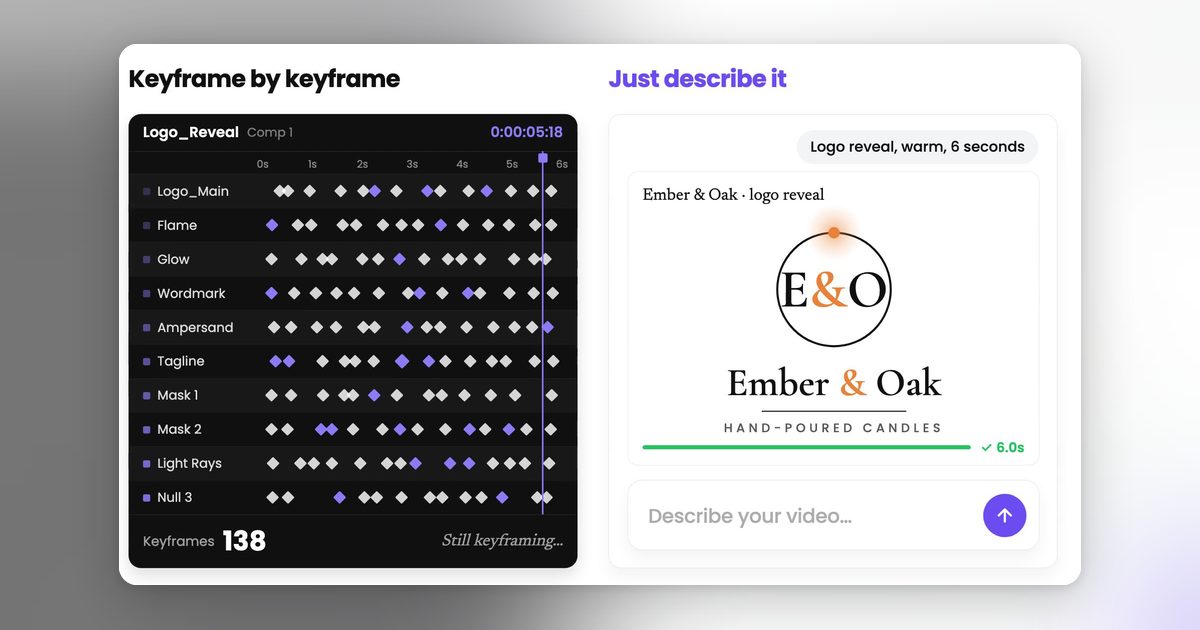
Control is the whole gap. After Effects works in frames, and MotionVid does not work in frames at all. There are no keyframes, no easing curves you can grab, no expressions, no parenting. When a client sends back "hold the logo four frames longer and ease the text out slower", an After Effects artist makes that change in under a minute and MotionVid makes you re-prompt the scene and accept whatever comes back. For client work billed on precision, that difference decides it, and no amount of prompt engineering closes it.
Handoff is the second loss. After Effects exports to Lottie and JSON through Bodymovin, so your animation can ship inside an app or a site at any size. MotionVid hands you a video file. If the deliverable is a vector animation rather than a clip, we are not a candidate.
Then there's everything After Effects does that isn't motion graphics at all: tracking, rotoscoping, keying, compositing a logo onto footage that moves. MotionVid does none of it, and the plugin ecosystem around After Effects extends the list further every year.
Fusion inside DaVinci Resolve wins on price for anyone willing to learn nodes, because the free version is genuinely free and MotionVid starts at $19 a month on Starter for 500 credits and 60 export minutes, per the pricing page. Credits meter generations and export minutes meter finished video, and a scene that misses on the first pass costs another generation, so a month with heavy revisions feels those caps.
How to Choose
Two questions decide this, and the second only matters if someone else signs off on your work.
- Are you making the graphic from scratch, or working on footage you already shot?
- From scratch: a logo, a product photo, a script, or just an idea: Generate it. This is the whole reason MotionVid exists, and it covers product ads, logo reveals, explainer B-roll, infographic and map scenes. → MotionVid
- You have footage and the graphic has to sit on it, track to it, or be cut out of it: Buy the compositor. No generator does tracking or roto, and prompting harder won't change that. → Adobe After Effects
- Does anyone have to sign off on the animation to the frame?
- No. It needs to look right and go out this week: Stay with generation and iterate on prompts and style packs. Ship four short clips rather than one long one. → MotionVid
- Yes. There's a brand motion spec, an exact easing curve, or a broadcast deliverable: Keyframes and expressions, no shortcuts. → Adobe After Effects
- What's the budget, honestly?
- You can spend a subscription's worth per month and you ship clips regularly: Start on Starter and watch the export cap, not the credit count; 60 export minutes a month is the line. → MotionVid
- Zero, and you have hours to spend instead: Take the free version and learn Fusion's node graph. It's the real $0 answer and it isn't easy. → DaVinci Resolve (free)
Final verdict
It depends on volume and what you're starting with: if you're making fewer than 60 clips a month and they begin with logos, product photos and a script, Starter at $19 covers the output and a keyframe timeline is extra work you don't need. If you're compositing real footage, with tracking, roto and cleanup, keep the licence, because no prompt does that work for you. So pick one video you already owe someone this week, a product ad or a single explainer scene, and build it with the motion graphics tool. The pricing page has the export caps per plan once you know which side you're on.
For the wider field rather than this head-to-head, the best After Effects AI alternatives covers what else people move to and what each one costs once you count re-rolls.
Frequently asked questions
How do I make motion graphics for my videos without learning After Effects?
Start from whatever asset you already have. A logo or product photo goes into image-to-video, a script or a recorded voiceover goes into motion graphics from text, and if you have nothing yet, open a template and swap in your own copy and colors. Whichever route you take, the clip comes back with narration, music and sound effects generated in the same pass, so audio doesn't need a second tool (you can still drop in your own sting later if you want one exact sound).
Is MotionVid a replacement for After Effects?
No, and the line is easy to find. Ask two questions about the clip you need. First: does it start from something you already have (a logo file, a product photo, a script, a voiceover) or from footage you shot? Second: does anyone have to approve the exact timing, frame by frame, before it ships? Anything built on an asset you already own, where nobody is going to audit your easing curves, is the case we handle. The moment the job means marrying graphics to filmed material and matching them to what the camera did, that's compositing work, and After Effects stays the tool for it. Most weeks, most marketing videos never cross that line.
What does MotionVid cost, and is it worth it against Adobe?
Match the plan to how much you actually publish. Under roughly 60 finished clips a month, each up to a minute and a half, Starter at $19 covers it. Past that, Pro and Ultimate lift the monthly export ceiling to 100 and 200 export minutes (yearly billing removes the cap on both), and Creator exists for teams shipping client work every day. See [the current plans](https://motionvid.ai/pricing) for what each tier includes. One condition flips the answer to Adobe: you already own the licence and your work is mostly cutting and treating footage you shot yourself. That's a job After Effects was built for and MotionVid wasn't.
Does MotionVid have unlimited generations?
No. Every plan comes with both a credit allowance and a monthly export-minute cap, and whichever one runs out first is the one that stops you. On Starter at $19, that's 500 credits and 60 export minutes per month. Current numbers for every plan are on the [pricing page](https://motionvid.ai/pricing).
I'm on Creative Cloud and only open After Effects occasionally. Should I switch?
Probably, but check Adobe's cancellation terms before you cancel anything. Adobe's published terms attach a fee for ending an annual commitment outside the cancellation window, so time the switch to your renewal date. Run one month in parallel on the clips you actually ship, keep the Adobe licence until you've confirmed the output clears your bar, then cancel at renewal rather than mid-term.
Canva or MotionVid for motion graphics?
Canva if the motion is decoration on a static layout your team already built there. MotionVid if the clip itself is the deliverable: a product ad, a logo reveal, explainer scenes generated from a script. The dividing line is custom versus template. Canva animates what's in its library well; it can't generate a scene that isn't already a template, which is exactly what ad and explainer work needs.
Does MotionVid generate sound, or do I add it in an editor?
It generates narration, music and sound effects with the video, controlled by per-project toggles, so a clip arrives already scored. If you want one exact sound, a specific licensed track or a sting that has to match a brand library, upload it to an audio track in the project or bring the clip into an editor. Most people don't, which is the point of it being generated in the same pass.
Can I make videos from Claude or ChatGPT?
Yes. MotionVid is in ChatGPT's app directory, so on any paid plan you can connect it and prompt from the chat; Claude and other AI apps use the MCP connector, documented at motionvid.ai/api. That means you can describe a clip in a chat and have it generated without opening the app, which is useful for batch work like a set of product variants. The developer API itself, for scripting generations from your own code, is limited to Ultimate and Creator.
Written by Nick Nicolaou, co-founder of MotionVid.ai. A working photographer and videographer, Nick uses MotionVid daily for product and launch videos.