The Best Canva Video Alternative in 2026 (Real Pricing)
MotionVid.ai is the best Canva video alternative when you need generated motion graphics, not templates. Real pricing, plus picks for footage and $0.

Co-founder, MotionVid ·
You made the video in Canva, it went out, and then someone told you it looks like a template. A client, a sponsor, maybe just your own retention graph. They're right, and the reason is mechanical. Canva animates by preset: you pick a transition and a text effect off a list, and everyone else is picking off that same list.
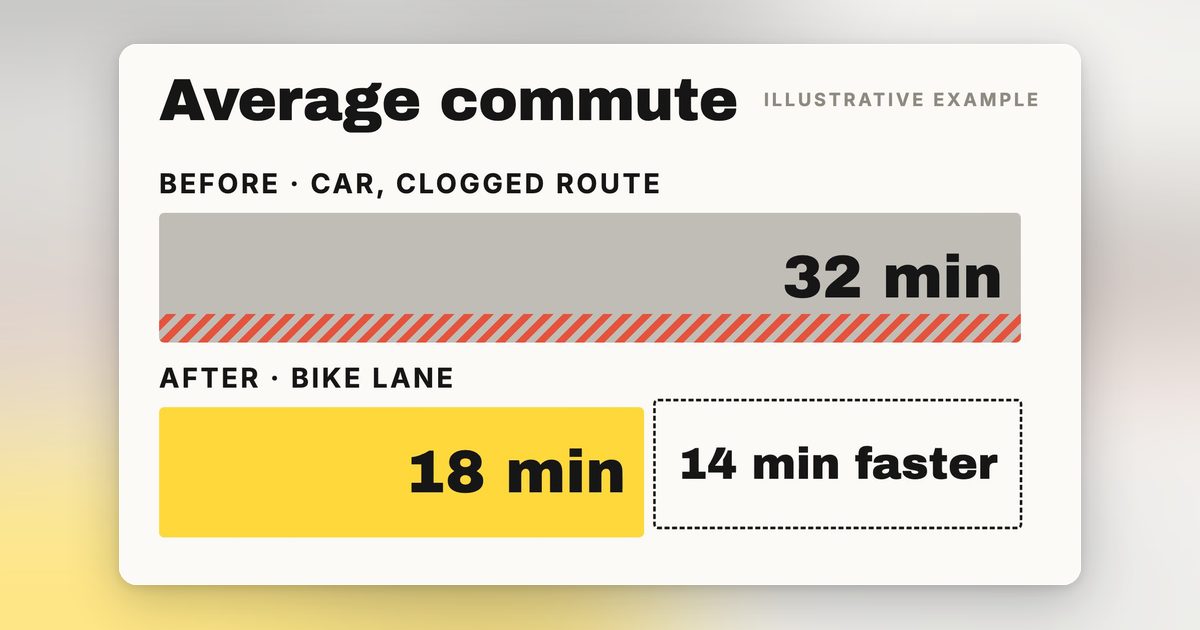
At volume it stops being a taste problem and turns into a labor one. Say you are on the hook for 60 short branded clips a month for one client. That's 60 duplications of the same Canva project, and inside every duplicate somebody hand-swaps the logo, the product shot, the copy and the end card. Call it ten minutes a clip when nothing goes wrong. That's the part nobody budgets for, and it's the same two people doing it every month.
If the work is logo stings, product reveals and explainer scenes, the best Canva video alternative is MotionVid at $19/month on Starter, which covers 500 credits and 60 export minutes a month. The trade-off is real: plans are credit-capped rather than unlimited, and there are no keyframes to set, so you describe the shot or feed a still and the model builds it instead of you animating it by hand. If you want the full plan ladder, it's on the pricing page, and the motion graphics tool is the piece that replaces the preset list.
Quick answer
A Canva video alternative is any tool you move video work to when Canva's preset animation library stops producing output you can put your name on, and the alternatives split into two groups: editors that still assemble presets on a timeline, and generators that build the motion from your brief. For logo stings, product reveals and explainer scenes, the pick is MotionVid, at $19/month on Starter for 500 credits and 60 export minutes per MotionVid's published pricing. Honest trade-off: it's credit-capped, and while its timeline can trim an uploaded clip, it isn't built for cutting down footage you already shot. If that's your job, CapCut's free editor wins. If you want a static design suite instead, Adobe Express is the closer swap.
Full disclosure: MotionVid is our product. Nick built it, we use it every day, and we make money if you subscribe, so read the ranking with that in mind and check the numbers against your own project. Four places where the competition plainly beats us: Canva is better than us at everything that isn't video, and it isn't close, so keep it for documents, print, static social graphics and team brand libraries; CapCut beats us outright if your work is cutting real footage you shot, because our timeline is built around generated scenes, not long footage, and we won't pretend otherwise, and it beats us again on price if your budget is genuinely zero and has to stay zero; VEED beats us on anything where the raw material is an existing recording that needs transcript-driven trimming and burned-in captions, because we never ingest footage at all; Adobe Express beats us on brand-governed static output for a team already living inside Creative Cloud. We give a numeric score to one tool on this page, ours, because it's the only one we use hands-on. Competitors get qualitative ratings tied to what their own pages publish.
Where Canva's video editor stops
In one line: Canva's video editor assembles preset animations onto a timeline, so the one thing it can't hand you is motion designed for your specific content.
The animation vocabulary is a fixed preset list, so text fades, rises, pops or wipes, and the result is a look anyone who has used Canva recognises. A batch of 100 branded clips means duplicating the project 100 times and hand-swapping the logo and product shot, and a client revision means rearranging the timeline again.
The older escape routes were hiring a motion designer or learning After Effects, which is total control at the cost of a steep curve and slow output (the full trade-off is here). If none of the four points above apply to your work, stay on Canva and keep the money. That's the honest answer for occasional posters, and this article isn't going to talk you out of it.
How we evaluated these tools
We judged every tool on the same five things: whether the output reads as a template, cost at real volume, how long it takes to get a first draft once you hand it a brief, what revisions and high-volume work actually take, and how transparent the pricing is. No weights, no composite score. MotionVid is the only tool scored numerically here, because it's the only one we run generations in daily, so everything else gets a qualitative read instead of a fake number. On sourcing: we fetched Canva's pricing page in July 2026 and it didn't return readable pricing, and CapCut, Adobe Express and VEED prices weren't verifiable from a published page either, so no figures appear for those four.
By the numbers
- 5 of the 6 tools in our comparison table start you on a timeline or inside a template; MotionVid is the one that generates the motion from a prompt first.
- 2 of the 6 publish a per-plan credit allowance you can check before paying: MotionVid (500 to 8,000 credits a month) and InVideo (400 credits a month on Starter, per its pricing page, fetched July 2026).
- 1 of the 6 publishes a monthly export allowance per plan: 60 export minutes on Starter, 100 on Pro, 200 on Ultimate, unlimited on Creator. We compiled that limits matrix from vendor pages in September 2026 because no vendor publishes it side by side.
- $0.32 per exported clip is what the MotionVid entry plan works out to if you ship 60 clips a month of up to a minute and a half each, a conversion we computed from published price and export cap. No vendor page states it.
- 4 of the 10 results for this keyword are user forum threads (two Reddit, one Facebook, one Quora), which is directional and true as of September 2026.
- 0 of the 6 tools sell a lifetime purchase, MotionVid included.
The tools people actually decide between
| Tool | What it actually is | Price we could verify from its own page | Rating, and what docked it |
|---|---|---|---|
| MotionVid.ai | Prompt, image or drawing to generated motion graphics and video | Starter $19/mo, 500 credits, 60 export minutes (our published pricing, Sep 2026) | 8.5/10, hands-on. Docked for credit caps, no keyframes and no real footage editing |
| Canva | All-purpose design suite with a template video editor | Free tier plus paid Pro; figure not verified, their pricing page didn't return readable pricing in Jul 2026 | Strong on ease and static design, capped on originality. No hands-on score |
| CapCut | Timeline editor for real footage, free tier | Free tier; paid price not verified from a published page | Strong on free editing, unknown on paid value. No hands-on score |
| Adobe Express | Template-based design suite, closest Canva swap | Not verified from a published page as of Sep 2026 | Strong on ecosystem, still template-based. No hands-on score |
| VEED | Browser editor built around subtitles and repurposing | Not verified from a published page as of Sep 2026 | Strong on captions, thin on motion design. No hands-on score |
| InVideo AI | Prompt to stock-assembly with a full timeline editor | Starter $20 per seat/mo billed annually, 400 credits/mo (its pricing page, Jul 2026) | Strong on price transparency, top models locked out of the entry tier. No hands-on score |
Best overall for product ads, logo animation and explainer scenes: MotionVid. CapCut only if your budget is genuinely $0, or the raw material is footage you already shot and need cut. Adobe Express only if what you're replacing is the static design suite, not the video. VEED only if the job is subtitling a talking-head recording. InVideo only if stock-footage assembly genuinely suits your script.
1. MotionVid.ai: best for product ads, logo animation and explainer scenes
What it is in plain words. A web app where you type a brief, drop in a product shot or logo, and get back an animated scene, motion generated by Animora, backed by Miltos, with narration, music and sound effects alongside the video (per-project toggles). Text-to-video, image-to-video, drawing-to-video, motion graphics from text, start/end animation, before/after and templates. Style packs include Vox, Vox Map Vintage, Johnny Harris, Johnny Harris Map Modern and the News Map variants Atlas, Blueprint, Navy and Noir, verified live September 2026. Style names only; no affiliation with or endorsement by Vox Media or Johnny Harris.
Best for. Animating a logo or product shot into a short ad, SaaS demo spots, ecommerce clips, and explainer scenes where you paste a script and get matching B-roll back. Motion graphics without learning After Effects or hiring a motion designer.
Pricing. Starter is $19/month (500 credits, 60 export minutes), Pro $29/month (800 credits, 100 export minutes), per our published pricing, September 2026. Yearly billing removes the export cap on Pro and Ultimate.
The gotcha. Credits are consumed by every generation, including the ones you throw away, so a prompt you reroll four times spends four times. Plans are capped, not unlimited.
Where it loses. It isn't a footage editor: the timeline can trim an uploaded clip, but color-matching and cutting down footage you shot happens elsewhere. Multi-angle is an image tool, eight angles from one photo, not a video mode. Real 3D, stock presenter avatars and Lottie exports sit outside what it does.
Verdict. If your complaint is that the output looks assembled, this is the category switch, not another editor swap. If your complaint is that Canva's timeline is clumsy, this won't help, because MotionVid's timeline is built around the scenes it generates, not around cutting your own footage. Pricing detail is on /pricing and the generation modes are on /video.
2. Canva: consider only for occasional, internal or supporting video
In one line: Canva's video tool is a template-and-timeline assembler whose animation vocabulary ships with the template library: right for occasional and internal video, wrong the moment the video itself is the deliverable.
What it is. Pick a template, drop in stock clips or your own footage, add text, apply preset animations. For a quick promo or a music slideshow it does the job, which is why Canva keeps showing up in searches for its own alternatives.
Best for. Slideshows for a team meeting, event recaps, text-over-clip stories, anything where the video supports the work instead of being the work.
Pricing. Canva publishes a free tier and a paid Pro plan, and we don't quote a Pro figure we couldn't read on Canva's own page. If the free tier covers your video work, nothing on this page beats free.
The gotcha. The animation vocabulary is fixed before your content exists: a fade, a slide, a pop, a typewriter reveal, and every video you make inherits the same preset set as every other Canva user's.
What reviewers say elsewhere. Canva's own roundup of CapCut alternatives ranks itself first, then lists Kapwing, WeVideo, InVideo, Clipchamp, VEED and FlexClip, products that cut and label footage you already have rather than generate the motion.
Verdict. Stay if your videos are occasional or internal. Switch the video half of your stack if video is something someone pays for, or if you've caught yourself thinking "this looks like a template" about your own work. The same monthly range buys generated motion instead of assembled parts, and the generation modes are what the money is for.
3. CapCut: consider only if you're cutting footage you already shot
In one line. CapCut is the strongest free timeline editor here, which makes it the right answer when the raw material already exists and the wrong answer when nothing has been shot yet.
What it is. A conventional editor built for cutting real footage into vertical video. Trims, captions, speed ramps, effects, all on a timeline you scrub through yourself.
Best for. You filmed something and need it cut for TikTok or Reels. If that sentence describes your week, CapCut is the right tool and MotionVid isn't, because we generate scenes rather than cut down yours.
Pricing. A free tier is the reason it belongs on this list. We don't quote its paid tier price here, so check Canva's pricing page.
What reviewers say elsewhere. The clearest signal isn't a review score, it's who compares themselves to whom. Canva publishes its own roundup of CapCut alternatives, positioning Canva against CapCut rather than the other way around. Companies write those pages about the option they expect you're already using, so Canva treating CapCut as the thing to argue against tells you CapCut is the free-editor default.
Verdict. It's an editor, not a generator, so the template ceiling still applies the moment you reach for its preset effects and text animations. Best combined rather than compared: generate the graphics and animated elements in MotionVid, cut them together with your footage in CapCut, and it costs you one subscription instead of a motion designer.
4. Adobe Express: consider only if the static design suite is what you're replacing
In one line: Express is the closest like-for-like Canva swap, and it animates the way Canva does, so it solves a procurement problem rather than an originality one.
What it is. Adobe's template-based design app, with the Adobe font and stock ecosystem behind it.
Best for. Teams leaving Canva for procurement or ecosystem reasons who need the same job done: static graphics, social posts, simple video assembly.
The premium tier is where the Adobe side shows up: Adobe Fonts and Adobe Stock in the same picker, brand kits holding your palette, logos and type, assets that round-trip to Photoshop and Illustrator. If your design lead already works in Creative Cloud and your social person works in a browser, that handoff is a real reason to switch.
Pricing. We don't quote an Express price: it's bundled differently standalone, inside Creative Cloud, or through team and education agreements.
What reviewers say elsewhere. Zapier names it the best overall Canva alternative in its roundup.
Verdict. Keep Express for static, template-shaped work where brand consistency matters more than originality. Send the animated logo stings, product spots and voiceover-timed explainers to the motion graphics tool, where the animation gets built from your brief instead of picked off a preset menu.
5. VEED: consider only for subtitling and repurposing talking-head recordings
What it is. A browser editor whose strength is captions, transcription-driven trimming and cutting long recordings into short clips.
Best for. Interview and talking-head content that needs accurate subtitles fast, or a long recording that has to become eight shorts. It also shows up in Canva's own alternatives roundup, a fair signal of where it sits in the category.
Pricing. VEED's current plan price isn't something I could confirm from a published page as of September 2026, so check their site before you budget.
What it does that a generator can't. Drop in a 40-minute recording and VEED works off the transcript: delete a line of text and the matching cut disappears from the video, clear out filler words in one pass, burn the captions into the frame, then pull six or eight vertical clips out of that single file with the speaker tracked and kept in shot. MotionVid has no equivalent. You can upload a clip, trim it and caption it, but the product builds scenes from a prompt, a script or an image. If the thing you need edited is a long recording, MotionVid isn't in the running at any price.
Verdict. When your raw material is footage of a person talking, VEED is the right tool and it does that job well. When your problem is that a chart, a logo reveal or a product scene needs to move, you're shopping in the other column.
The wider field, ranked, is in 20 best AI video generators.
6. InVideo AI: consider only if you want prompt-driven stock assembly
What it is. Prompt in, video out, with the output leaning on stock footage assembly plus a full timeline editor you can take over in. Closer to a faster Canva than a different category.
Best for. Talking-script videos where library footage is genuinely fine and speed matters more than originality.
Pricing, verified. InVideo's Starter plan is $20 per seat per month billed annually for 400 credits per seat per month, per its published pricing page fetched July 2026. At the 60-clips-a-month level this article uses, that's 6.6 credits per clip of allowance and $240 a year per seat.
The gotcha, from their own page. Two things that page states plainly and the headline price doesn't. First, the $20 is annual prepay: the same page lists its next tier at $60 monthly against $50 billed annually, so paying month to month costs more than the advertised number. Second, the entry tier explicitly excludes access to their newest video models and gives only limited access to their agent features, so the cheapest plan is not the product the marketing shows.
What reviewers say elsewhere. Forum sentiment on this comparison leans toward InVideo for fast template-driven edits, which is other people's opinion rather than our test.
Verdict. The most transparent pricing page of the competitors here, and the closest thing to a generator among them, but stock assembly carries its own recognizable look. You're trading template recognizability for stock recognizability.
Hit the credit wall on an InVideo plan that locks out its own best models? The comparison worth reading before you upgrade is 20 best AI video generators.
What a Canva video alternative actually costs
Computed from published price against published export caps, for clips of up to a minute and a half; no vendor publishes this table.
| If you ship | Cheapest plan that covers both caps | Cost per exported clip (monthly billing) | Per year (billed yearly) |
|---|---|---|---|
| 20 clips a month | Starter ($19/mo, 500 credits, 60 export minutes) | $0.95 | $179.88 |
| 60 clips a month | Starter, now exactly at its 60-export-minute ceiling | $0.32 | $179.88 |
| 150 clips a month | Ultimate ($49/mo, 1,500 credits, 200 export minutes) | $0.33 | $359.88 |
Row two lands exactly on Starter's 60-export-minute ceiling with nothing spare, so the month a client asks for 80 you ship 60 and owe 20 until the next cycle. That means Pro ($29, 800 credits, 100 export minutes), or yearly billing, which lifts the export cap on Pro and Ultimate.
Credits and export minutes are separate limits, and a plan covers a volume only if both hold. Starter's 500 credits across 60 short clips is roughly 8 per clip, Pro 8, Ultimate 7.5. Rerolls spend credits and export minutes do not, so at two passes a shot 500 credits cover about 30 shipped clips, not 60. Credits bind first. Read the current numbers on the pricing page rather than a per-generation figure anyone quotes you, including this table.
How to Choose
Why you're leaving Canva decides where you land, so start there rather than with a feature comparison.
- Is your complaint that the output looks templated, or that the editor is missing a feature?
- The output looks like a template and a client or sponsor has noticed: Switch category, not editor. Generate the motion instead of assembling presets. → MotionVid
- The editor is clumsy but templates are fine for your work: Move to a better editor and keep your workflow. Don't pay for generation you won't use. → CapCut or Adobe Express
- Does the footage already exist?
- No footage. You need a logo reveal, a product scene, infographic or explainer B-roll made from nothing: This is the generation job and the reason this article exists. → MotionVid
- Hours of real footage that needs cutting, captioning and color: Buy an editor, and generate only the graphics you drop on top. → CapCut, with MotionVid for the animated elements
- One long talking-head recording that must become subtitled shorts: Go for the subtitles specialist. → VEED
- What's the budget?
- You already pay for Canva Pro and mostly for its video templates: Redirect similar money at generation and keep Canva for static work. → MotionVid Starter
- Zero, and it has to stay zero: Free beats everything here. Nothing on this page is worth debt. → CapCut
- You need the whole static design suite replaced too: Replace the suite, then add a generator for video only. → Adobe Express plus MotionVid
Final verdict
So, the picks: product ads, logo animation and explainer scenes built from a script go to MotionVid. Footage you already shot needs a cutting tool, so make the cut in CapCut and generate the graphics you lay over it in MotionVid. Static design, decks and thumbnails stay in Canva. If you post occasionally or your budget is zero, stay where you are, and I mean that as the honest answer rather than a polite hedge. Don't upgrade because a comparison post told you to, upgrade the first time a client or a sponsor says something about the video itself.
Read next: MotionVid vs After Effects if control versus speed is your open question, and 20 best AI video generators for the wider field.
If the hours you counted look bad, MotionVid's Starter plan runs $19 a month: see the plans.
Where MotionVid loses. If your team already lives in Canva for decks, social graphics and brand assets, adding a second tool for video is friction you may not want: Canva's presets are good enough for internal updates and one-off posts. If you are cutting footage you filmed, use an editor. And if you need a designer-grade static asset set, Canva wins outright.
Two adjacent moves people make at the same time: 8 web-based motion graphics editors if you're replacing the animation half of Canva, and Kling AI alternatives for image to video if what you actually want is a still brought to life.
Frequently asked questions
What's the best free Canva video alternative?
CapCut, because its free tier is a full timeline editor rather than a trial. It cuts footage, captions it and exports vertical video without a subscription. The catch is that free editors are still editors: preset effects and text animations carry the same recognizable look Canva does. Free fixes your budget problem, not your originality problem.
Is MotionVid actually cheaper than what I pay Canva for video templates?
Take your current monthly video spend and divide it by the clips you actually delivered last month. That's your real number. Compare it against Starter at $19/month with 60 monthly export minutes ([pricing](https://motionvid.ai/pricing)). At moderate volume, the math usually favors MotionVid. Against Canva specifically there's no verifiable published Pro figure to compare against, so run it on your own bill instead of anyone's list price.
MotionVid vs InVideo AI: which one for a product ad?
MotionVid, because InVideo's output leans on stock footage assembly and a product ad is the one job where stock is most obviously wrong. InVideo's Starter is $20 per seat per month billed annually for 400 credits, per its pricing page fetched July 2026, and that tier explicitly excludes its newest video models. Pick InVideo if library footage genuinely suits your script and you want prompt-driven assembly.
I have 40 Canva video projects. How do I actually switch?
Don't migrate them. Keep Canva for static design and move only new video work, which is what most people end up doing anyway. Take your next real deliverable, an actual ad or course intro rather than a toy prompt, run the same brief through both, and compare. Export finished Canva videos as MP4 if you want them archived. Nothing transfers as an editable project between the two, so treat it as a fresh start for video only.
Does MotionVid have unlimited generations or a lifetime deal?
No to both. Every plan is credit-capped: Starter 500 credits a month, Pro 800, Ultimate 1,500, Creator 8,000, with 60, 100 and 200 monthly export minutes and unlimited exports respectively. Yearly billing removes the export cap on Pro and Ultimate. There is no lifetime purchase option. The upside of caps is a bill that doesn't move, unlike per-render pricing where every reroll costs money.
Does the video come with sound, or do I add it in another editor?
It comes with sound. MotionVid generates narration, music and sound effects alongside the video, with per-project toggles so you can switch any of them off. If you need one exact sound, a specific brand sting or a licensed track, you can upload it to an audio track in the project or drop it in your own editor afterwards. That's a choice, not a requirement, and it's the main reason people pair a generator with a cutting tool.
Can I make videos from Claude or ChatGPT instead of a web app?
Yes. MotionVid is in ChatGPT's app directory, so on any paid plan you can connect it and prompt from the chat; Claude and other AI apps use the MCP connector, documented at motionvid.ai/api. The developer API itself is limited to Ultimate and Creator, which also add bring-your-own-keys. From a chat window you can describe the scene, pick a style pack, trigger the render and get the finished file back, so a logo ad or an explainer scene can start and finish inside the same conversation you were already writing the script in.
Written by Nick Nicolaou, co-founder of MotionVid.ai. A working photographer and videographer, Nick uses MotionVid daily for product and launch videos.