AI Real Estate Video Generator: A Listing Walkthrough in 60 Seconds per Clip
Turn listing photos into a walkthrough-style video in about a minute of work. The exact workflow, real per-listing costs, and where AI video holds up.

Co-founder, MotionVid ·
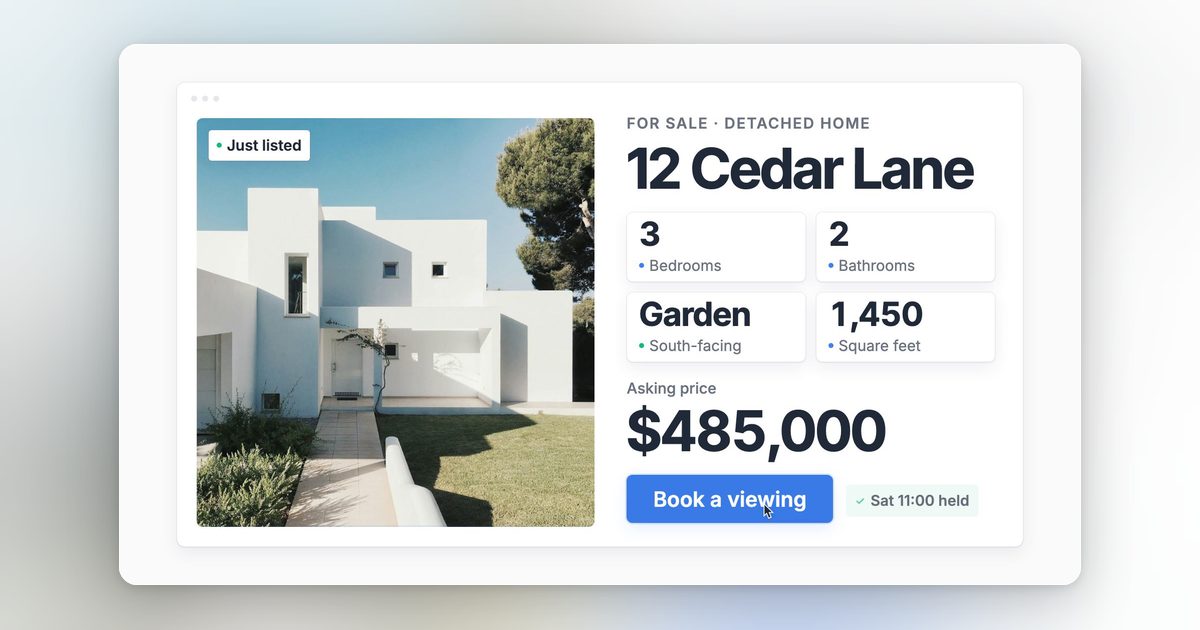
The listing photos are done. They're sharp, well lit, and paid for. What's usually missing is the video, because a videographer costs several hundred dollars per property, takes days to deliver, and half the listings that could use one are under contract before the edit comes back.
That's the gap an AI real estate video generator fills. You feed it the photos you already have and get back walkthrough-style footage: a slow push through the living room, a pan across the kitchen, a pull away from the exterior at golden hour. Nothing gets filmed. The motion is generated from the still image.
This guide shows the exact workflow in MotionVid, what it costs per listing, and where the output holds up versus where it falls apart. There's a generated listing walkthrough embedded below so you can judge the quality yourself instead of taking a homepage's word for it.
Why realtors are the ones actually paying for AI video
Most AI video tools are pitched at creators making content for its own sake. Real estate is different. You can see it in the market itself: an entire category of real-estate-specific tools exists for this (AutoReel, Amplifiles, PropertyVideos.ai), and nobody builds dedicated software for customers who don't pay.
The reason the math works is simple. A listing video is not content. It's a business expense attached to a commission. If a short walkthrough clip gets one extra showing booked, the tool paid for itself for the year. That math almost never works out for a hobbyist, and it almost always works out for an agent carrying multiple listings.
The second reason is speed. A listing that goes live Thursday morning needs its marketing Thursday morning. Traditional video has a shoot date and an edit turnaround. Generated video has neither. You can have a vertical teaser posted to Instagram before the sign is in the yard.
The third reason is volume. An agent closing two or three listings a month can't justify hiring a videographer every time, but can absolutely justify a monthly subscription that covers all of them. That's the economic shape this whole category is built on.
What an AI real estate video generator actually does
The term covers two very different kinds of software, and knowing which one you're looking at saves you a wasted trial.
Type 1: Photo slideshow assemblers
Tools like AutoReel, Amplifiles, and PropertyVideos.ai take your photo set and assemble it into a branded video: transitions between stills, music, captions, sometimes an AI voiceover reading the listing details. Amplifiles, per its own site, offers the first video free. These are fast and predictable, but the "motion" is mostly zooms and crossfades on static images. Template editors like InVideo and VEED sit in this camp too, just less real-estate-specific.
Type 2: Generative image-to-video
This is the newer category, and it's where the real excitement among real estate photographers is right now. A generative tool doesn't slide your photo around a frame. It creates new frames, so the camera appears to physically move through the room: forward through a doorway, across a kitchen island, up and back from a facade. Luma pitches exactly this for listings.
MotionVid sits in the second camp. Its image-to-video tool runs on Animora, MotionVid's flagship video model, and turns a single listing photo into a moving shot from a plain text prompt. That's the piece that makes the 60-second workflow below possible.
The honest tradeoff: assemblers are more predictable, generative tools are more impressive. A generated walkthrough of a real room, made from a photo of that room, is the thing that makes a buyer stop and look twice. It's also the thing that occasionally warps a ceiling fan if you push it too hard. More on that below.
The 60-second listing video, step by step
Here's the actual workflow. The "60 seconds" refers to your hands-on time per clip: pick a photo, write one sentence, hit generate. The render itself takes a few minutes in the background, which is time you spend on the next clip or literally anything else.
Step 1: Pick the three photos that sell the property
Don't animate all 30 MLS photos. A listing video needs three shots: the exterior, the best interior (usually kitchen or main living space), and the one feature that makes this property different (the pool, the view, the primary suite). Use the sharpest, widest versions you have. Wide shots with clear depth give the model room to move the camera; tight shots of a faucet don't.
Step 2: Generate a camera move for each photo
Upload each photo to MotionVid's image-to-video tool and describe the move in plain language. Prompts that consistently work for listings:
- Exterior: "slow smooth push-in toward the front door, late afternoon light, steady camera"
- Kitchen or living room: "slow lateral pan across the kitchen island, camera at eye level, steady motion"
- Feature shot: "gentle pull-back revealing the full space, slight upward drift"
One rule matters more than any other: keep the moves slow. Slow camera motion is what real estate cinematography looks like anyway, and it's also where generated video is most stable. Fast moves are where geometry starts to bend.
That clip above is a generated walkthrough from a single still photo. No videographer, no gimbal, no shoot. Judge it against what's on your MLS right now.
Step 3: Stack the clips and add a title card
Sequence the three clips in any editor you already have (CapCut and iMovie are free and take minutes for a three-clip cut). For the opener, MotionVid's motion graphics tool generates an animated title card from text, so "Just Listed, 4 bed 3 bath" becomes a moving graphic instead of a static slide.
Export vertical (9:16) for Instagram and TikTok, horizontal for YouTube and the MLS media slot. Same three clips, two exports, and the listing has a full video presence the day it goes live.
Where generated walkthroughs hold up, and where they don't
What works well: exteriors, wide interiors, slow push-ins and pans, twilight shots, and anything destined for a social feed where clips run 3 to 8 seconds. This covers the large majority of what a listing teaser needs.
What doesn't: fast camera moves (straight lines start to curve), readable text inside the scene (a for-sale sign or wall art can smear), mirrors and glass reflections, and long single takes. Keep clips short and cut between them instead of asking one generation to tour the whole house. You'll spot these limits within your first few generations, so plan your shot list around them from the start.
The disclosure question. Generated camera motion doesn't change what the property looks like, but MLS rules on digitally altered media vary, and many boards treat AI-modified imagery the way they treat virtual staging: allowed with disclosure. Check your local MLS's media policy, and never prompt the model to change the property itself. Adding furniture, removing power lines, or brightening a room beyond reality is a misrepresentation problem, not a technology problem. A camera move through an accurate photo is a very different thing from an edited photo, but the safe habit is a one-line "video contains AI-generated motion" note.
One more asset worth knowing about: MotionVid also has a multi-angle image tool that generates 8 different angles from a single photo. It outputs images, not video, but for a listing where the photographer missed an angle of the best room, it fills gaps in the photo set before you ever get to the video step. Details on the image tools page.
What this costs per listing
The math is the part that turns this from a toy into a line item, so here it is with real numbers.
MotionVid's Starter plan is $19/month for 500 credits per month. A three-clip listing video, including a couple of retries to get the camera moves right, takes roughly 6 to 8 generations. The pricing page sizes Starter's 500 credits at roughly 15 to 30 videos a month (about $0.63 to $1.27 per video), and every one of those generations draws from the pool, so Starter fits an agent with a few listings a month. More listings, or daily social content on top, point to Pro at $29/month for 800 credits (roughly 24 to 48 videos at the same rate) or Ultimate at $49 for 1,500 (roughly 45 to 90), with Creator at $249 for 8,000 above that. Full breakdown on the pricing page.
Two caveats before you budget around those numbers. First, these plans are credit-capped, not unlimited, so budget retries into your count and check the credit counter on your first couple of listings to see what your shots actually draw. Second, MotionVid is a general AI video tool, not a real-estate-only pipeline. It won't pull listing data from your MLS or auto-generate a voiceover reading the bed and bath count. What it gives you is the generative walkthrough footage itself, which is the part none of the slideshow tools can produce, plus text-to-video, motion graphics, and before/after tools you'll use for the rest of your marketing (agent intro videos, market update posts, testimonial graphics).
The comparison that actually matters is per listing. A full year of the Starter plan costs $179.88. Whatever your local videographer quoted you for a single shoot, that one invoice almost certainly buys a year or more of the plan. So the real question isn't whether AI footage is cheaper (it is, by a wide margin per listing), it's which listings still justify a physical shoot. For most agents the split that makes sense is: generated video for the standard inventory, a real videographer for the handful of properties each year where the commission supports it.
Frequently asked questions
Can AI really create a video from just listing photos?
Yes. Generative image-to-video tools create new frames from a still photo, so the camera appears to move through the room rather than just zooming into pixels. That is the difference from the old slideshow makers agents have used for years: those pan and crossfade across a flat image, while a model like Animora invents the parallax and depth you would get from an actual walkthrough.
Is AI-generated video allowed on the MLS?
Rules on digitally altered media vary by MLS, and many boards treat it like virtual staging: allowed with disclosure. Add a note that the video contains AI-generated motion, and never prompt the tool to alter the property itself (adding furniture, changing finishes, or removing defects).
How much does an AI listing video cost?
Cheaper than it sounds once you break it down per video. MotionVid's $19 Starter plan comes with 500 credits, which the pricing page sizes at roughly 15 to 30 videos a month, about $0.63 to $1.27 per video. A three-clip listing with retries takes 6 to 8 generations, each drawing from that pool, so the per-listing cost is a handful of those, still a sliver of a videographer's invoice. The [pricing ladder](https://motionvid.ai/pricing) tops out at the Creator plan ($249 for 8,000 credits), but that tier is for brokerages producing video across whole teams; a solo agent rarely needs to climb past Pro or Ultimate.
How long does it actually take?
Hands-on time is about 60 seconds per clip: upload the photo, write a one-sentence camera direction, generate. Rendering runs a few minutes per clip in the background, and assembling three clips with a title card takes a few more minutes in any free editor.
Do I need video editing skills?
No. The generation step is a photo upload and a text prompt. Stacking three clips with a title card is drag-and-drop in free tools like CapCut or iMovie, and vertical and horizontal exports come from the same clips.
What's the difference between MotionVid and tools like AutoReel?
AutoReel and similar real-estate tools assemble your existing photos into a slideshow-style video, layering zooms, transitions, captions, and an AI voiceover on top of the stills. MotionVid generates new frames from each photo using its Animora model, so the camera actually moves through the room instead of panning across a flat image. The tradeoff: an assembler is more automated for cranking out one video per listing, while MotionVid gives you genuine walkthrough-style footage and also covers the rest of an agent's content, from social clips to motion graphics.